
On-Page SEO
Chapter 03 / 08
Header hierarchy
Headers are the table of contents your page hands to Google, AI engines, and screen readers. Skip a level or fake a hierarchy and all three get the page wrong.
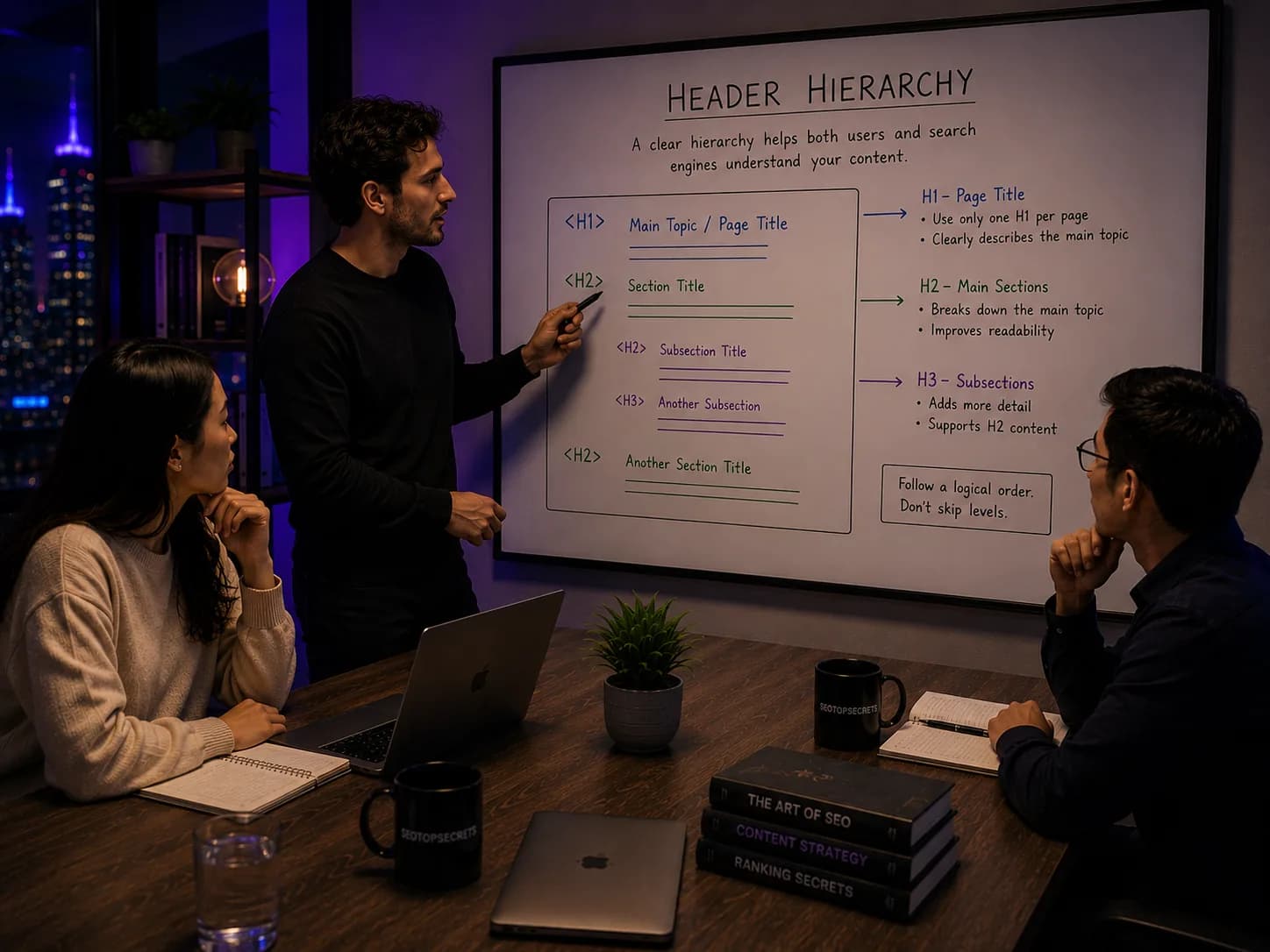
Headers are the structural skeleton of a web page. They tell Google, AI engines, screen readers, and any human skimming the page how the content is organised: what the page is about (H1), what the major sections are (H2), and how those sections break down (H3, H4). Done right, the headers form an outline you could read on its own and still understand the page. Done wrong — skipped levels, multiple H1s, headers used for visual styling — the hierarchy breaks for every audience at once.
“If you can paste your H1 through H4 into a notes app and the result reads like a coherent table of contents, your hierarchy works. If it reads like a jumble, neither Google nor a reader can follow what is on the page.”
The five header levels and what each is for
| Level | Purpose | How many per page |
|---|---|---|
| H1 | Page topic — primary keyword verbatim | Exactly one |
| H2 | Major sections of the page | Typically 4-10 |
| H3 | Sub-sections within an H2 | 0-5 under each H2 |
| H4 | Sub-points within an H3 (rare in articles, common in docs) | Use sparingly |
| H5/H6 | Deep nested structure (technical docs only) | Almost never on marketing/blog pages |
The one-H1 rule
Every page has exactly one H1. It carries the primary keyword verbatim. It matches the title tag and the URL slug per the H1 = URL = Title rule. There is no version of this rule where two H1s is acceptable on a content page targeting a single primary keyword.
The HTML5 specification technically allows multiple H1s when each lives inside a sectioning element (article, section, aside, nav). The argument for the 'two H1s is fine' position cites the HTML5 outline algorithm. The problem: no production search engine, AI engine, or screen reader actually implements that algorithm. They flatten the document, read the headers in source order, and treat multiple H1s as a fragmented topical signal.
The fix is trivial: when your design has a logo and a hero headline both styled large, mark up the logo as a paragraph or image, the hero headline as the H1. One H1, no semantic compromise, the visual stays the same.
The outline-able page test
The fastest way to audit a page's hierarchy is to extract just the headers and read them as a list:
- H1: Header hierarchy
- H2: The five header levels and what each is for
- H2: The one-H1 rule
- H2: The outline-able page test
- H2: How AI engines read headers
If that list reads as a coherent outline of the page topic, the hierarchy works. If you see jumps (H2 to H4), missing context (an H3 with no parent H2 above it), or duplication (two H1s, three identical H2s), you have a structure problem that no amount of body copy will fix.
Headers as the AI engine's table of contents
AI answer engines retrieve passages, not whole pages. When ChatGPT, Perplexity, or Gemini scans your document looking for a relevant passage to cite, the headers are the navigation map. A page with clear H2 boundaries gets passages extracted cleanly — the engine knows where each topic starts and ends. A page with unclear or missing headers gets the whole body chunked arbitrarily, which produces worse retrieval and worse citations.
The practical implication: write H2s that name the question or sub-topic the section answers. “What headers are for” is better than “Background”. “The one-H1 rule” is better than “Headings”. AI engines retrieving passages prefer specific, query-shaped section titles.
The five most common hierarchy mistakes
- Missing H1. The page has no H1 at all, just an H2 doing the job visually. Google falls back to the title tag, but the page-level signal weakens.
- Multiple H1s. Two or more H1s split the topical signal. Common in template-driven sites where the logo and the hero are both H1s.
- Skipped levels. H2 followed directly by H4. Breaks screen-reader navigation; AI engines lose the section grouping.
- H2s used as design elements. Sidebar widgets, callout boxes, and feature boxes marked up as H2s when they are not page sections. Pollutes the outline.
- Vague H2s. “Overview”, “Details”, “Conclusion” tell neither readers nor AI engines what the section contains. Replace with specific section titles.
Headers and accessibility
Screen readers use heading levels as the primary in-page navigation tool. A user pressing 'H' jumps between all headings; pressing '2' jumps between H2s; pressing '3' jumps between H3s. The reader builds a mental map of the page from the heading list alone. Three things break that map:
- Skipped levels. Jumping H2 to H4 leaves the user wondering what the missing H3 was supposed to introduce.
- Headings used for visual styling. A paragraph styled as a heading does not appear in the heading list; a heading styled as a paragraph fragments the list.
- Long heading lists with no clear hierarchy. A page with twenty H2s and no H3s is technically valid but practically unnavigable.
The good news: accessibility hierarchy and SEO hierarchy converge. A page that screen readers can navigate is also a page Google and AI engines can outline. Fixing one fixes the other.
Headers in templated and programmatic pages
Programmatic pages (location pages, comparison pages, product listings) generate headers from a template. Two patterns to follow:
- The H1 is dynamic, the H2 framework is static. The H1 carries the page's unique entity (“SEO services in Mexico City”). The H2s are the same across the template (Pricing, Process, Case studies, FAQ). This makes every page outline-able the same way.
- Test the longest possible H1. Programmatic templates often produce H1s that wrap badly or look broken visually for long entity names. Test the worst-case input before launch.
The internal linking interaction
Headers anchor the in-page jumps that internal links use. When you link to /article/#section-name, the slugified H2 becomes the fragment target. Two implications:
- Stable H2 wording matters — renaming an H2 breaks every existing anchor link to it.
- Descriptive H2s produce descriptive fragment URLs (“#the-one-h1-rule”) which are themselves a small ranking signal and help users understand where a link will take them.
The bottom line
Header hierarchy is the cheapest piece of structural SEO available. One H1 per page, primary keyword verbatim. H2s for major sections, written as specific section titles, not vague labels. H3s under H2s when needed, never skipping levels. Visual styling is a separate concern from semantic structure — CSS handles size and weight, headers carry meaning. Get the outline right and Google, AI engines, screen readers, and human skimmers all read the same page in the same order.
Common questions
Common questions
Quick answers to what we get asked before every trial signup.
You still need a single H1 per page. The HTML5 spec technically allows multiple H1s within sectioning elements, but neither Google nor AI engines actually use the sectioning algorithm in production. They flatten the document and read the headers as a single hierarchy. Multiple H1s confuse the topical signal even when the HTML is valid. The safe rule is one H1, every time.