
Schema Markup Guide

The fastest way to make a page legible to Google and citable by ChatGPT, Gemini, Claude, and Perplexity is the same: ship valid JSON-LD on every template, every type that fits, no exceptions.

Most pages on the open web have no structured data. Of the ones that do, most ship a single JSON-LD block that validates in Google’s Rich Results Test and fails in Schema.org’s strict validator — broken in ways that quietly cost rich-result eligibility, AI citation odds, and entity recognition. Schema markup in 2026 is not optional, and it is not a one-off ship; it is part of the template, regenerated every time the content changes, valid against both validators every time.
This guide is the working list of every schema type we deploy on production sites at SEOTopSecret, what each type does, when to use it, and a copy-paste JSON-LD example for the ones that matter most. Schema is how you speak the language of how search engines work — it is the same internal playbook our schema generator runs against, written down so you can audit, ship, or argue with it.
“Schema is the cheapest SEO win on most sites. Almost every page should carry it. Almost no page does.”
The 12 schema types we ship on every site we manage
Not every page gets every type. The rule is “all the types that truthfully apply, none that do not.” The summary first; the detailed walkthroughs below.
| Type | What it marks up | Where it ships |
|---|---|---|
| Article / BlogPosting / NewsArticle | Editorial content with author, date, headline | Every blog post, news, long-form guide |
| FAQPage | Question + answer pairs visible on the page | FAQ sections inside any template |
| BreadcrumbList | Navigation hierarchy from home to current page | Every non-home page |
| Organization | Company entity — name, logo, contact, sameAs | Site-wide (one global Organization node) |
| WebSite | Site identity + SearchAction for sitelinks search box | Site-wide on the homepage template |
| Person | Author, founder, executive — with sameAs to LinkedIn, Wikipedia | Author bios, /about, founder pages |
| Product + Offer | Physical or digital product with price, availability, reviews | Product pages on ecommerce + SaaS pricing |
| SoftwareApplication | SaaS / mobile / desktop apps with category + AggregateRating | Pricing + product pages on SaaS sites |
| LocalBusiness (and subtypes) | Brick-and-mortar with NAP, geo, opening hours | Location pages, service-area pages, GBP-linked pages |
| Service | Bundled professional services (consulting, legal, medical) | Service-page templates on agencies, clinics, firms |
| HowTo | Genuine step sequences with images per step | Tutorials, only when steps are real and ordered |
| Review + AggregateRating | First-party reviews with author + rating + review body | Anywhere reviews are visibly published on-page |
1. Article — the spine of every editorial template
Article (or BlogPosting / NewsArticle when more specific) is the schema that turns a long-form page into something Google can score for E-E-A-T and AI engines can attribute correctly. The required-by-Google fields are headline, image, datePublished, dateModified, author, publisher. The fields that move citation reliability are author.sameAs (Wikipedia, LinkedIn, Twitter), about (the entity the article is about), and citation (anything you reference inside the article).
{
  "@context": "https://schema.org",
  "@graph": [
    {
      "@type": "BlogPosting",
      "@id": "https://example.com/blog/schema-markup#article",
      "headline": "Schema Markup",
      "image": "https://example.com/images/blog/schema-markup/hero.webp",
      "datePublished": "2026-05-04",
      "dateModified": "2026-05-04",
      "author": { "@id": "https://example.com/about#author" },
      "publisher": { "@id": "https://example.com/#org" },
      "mainEntityOfPage": "https://example.com/blog/schema-markup"
    }
  ]
}
2. FAQPage — only when the FAQs are visible
FAQPage is the highest-leverage rich result still left in 2026 — the core of snippet optimization. Google deprecated the rich-result preview for most sites, but the schema still feeds AI Overviews and ChatGPT citation extraction. The single rule that breaks 80% of FAQPage implementations: every Question in the JSON-LD must appear, word for word, in the visible HTML, with the answer also visible (open by default or behind an accordion the bot can read).
3. BreadcrumbList — easy, always-on
BreadcrumbList costs nothing to ship and gives Google a clean view of your site hierarchy that internal links alone do not. Every non-home page should carry it, even if the visible breadcrumb UI is not rendered (Google accepts schema-only breadcrumbs as long as the hierarchy matches the URL structure).
4. Organization — the entity Google ranks against your competitors
Organization is the most under-used type on the open web. It is also where AI engines look first when deciding whether to trust your brand. Required fields: name, url, logo. The fields that build entity strength: sameAs (LinkedIn company page, Wikipedia, Crunchbase, X), founder (linked to a Person node), contactPoint (phone, email, language), foundingDate, address. Ship it once, site-wide, and reference it from every other type by @id.
{
  "@type": "Organization",
  "@id": "https://example.com/#org",
  "name": "Example Corp",
  "url": "https://example.com",
  "logo": "https://example.com/logo.png",
  "founder": { "@id": "https://example.com/about#founder" },
  "sameAs": [
    "https://www.linkedin.com/company/example-corp",
    "https://en.wikipedia.org/wiki/Example_Corp",
    "https://www.crunchbase.com/organization/example-corp",
    "https://x.com/examplecorp"
  ]
}
5. Person — the founder / author entity
Person is what binds your authors to authoritative third-party sources. Without it, Google treats “Jane Doe” as a string of text. With it — and a clean sameAs array pointing to LinkedIn, Wikipedia, conference speaker pages, and academic profiles — “Jane Doe” becomes a recognised entity whose authorship signals contribute to E-E-A-T.
6. Product + Offer — ecommerce and SaaS
For ecommerce: Product per SKU with Offer (price, priceCurrency, availability, priceValidUntil), AggregateRating only if first-party reviews exist on-page, and Review for individual reviews. For SaaS: SoftwareApplication is the better primary type, with one Offer per pricing tier. The mistake we see weekly: shipping AggregateRating with a fabricated count. Google’s SpamBrain catches it; the manual action takes months to clear.
7. LocalBusiness — for any address-bound page
LocalBusiness has dozens of subtypes (Restaurant, Dentist, LegalService, AutoRepair, Plumber). Use the most specific one that fits — Schema.org rewards specificity, and Google’s Local Pack uses the subtype to categorise your listing. Required fields: name, address (full PostalAddress), telephone, openingHours or openingHoursSpecification, geo (latitude/longitude), image. The two fields that disproportionately help map-pack ranking: priceRange and servesCuisine / medicalSpecialty / equivalent.
Local examples — five US verticals, what each ships
The reason most schema implementations underperform is they treat the JSON-LD as generic boilerplate. Schema is high-leverage precisely because it can encode what a business actually does, in the vocabulary the engines use to categorise it. Five worked examples for US verticals we operate against weekly.
SaaS company in Austin, Texas
Site-wide: Organization + WebSite + Person (founder, with sameAs to LinkedIn, X, Crunchbase, AngelList). Pricing page: SoftwareApplication with category “BusinessApplication,” one Offer per tier with priceSpecification, plus AggregateRating only if you publish first-party reviews. Blog: BlogPosting + Author Person + FAQPage + BreadcrumbList. Customer story pages: Article + about (the customer Organization) + mentions (any third-party Organization referenced).
Restaurant chain in Brooklyn, New York
Each location: Restaurant (subtype of LocalBusiness) with address, geo, servesCuisine, openingHoursSpecification, priceRange, menu (URL to the menu page), acceptsReservations. Menu page: Menu + MenuSection + MenuItem per dish with nutrition if available. Site-wide: Organization for the chain entity, linked to each Restaurant location by parentOrganization.
Healthcare clinic in Los Angeles, California
MedicalClinic (LocalBusiness subtype) with medicalSpecialty, address, telephone, openingHours, availableService (one MedicalProcedure per service), physician linked to a Person node with credentials in hasCredential. Provider bio pages: Physician + memberOf (the clinic Organization) + medicalSpecialty + alumniOf (medical school). The credential fields are what get clinics surfaced inside Google’s health-focused result blocks.
Personal injury law firm in Chicago, Illinois
LegalService with areaServed (the cities and counties), knowsAbout (the legal practice areas), and one Service node per practice area (personal injury, workers’ compensation, medical malpractice). Attorney profile pages: Person + jobTitle + memberOf (the firm) + alumniOf (law school) + hasCredential (bar admissions). Case-result pages — only if real and verifiable: Article + about (LegalService) + result.
Online ecommerce store shipping nationwide
Product pages: Product + brand (Organization or Brand) + Offer + shippingDetails (with shippingDestination for each US region you ship to) + hasMerchantReturnPolicy (required by Google’s 2024 update for free-listing eligibility). Category pages: CollectionPage + ItemList. Site-wide: Organization + WebSite.
The validation workflow we ship
Validating in only one tool is how broken schema goes to production. Google’s Rich Results Test is lenient (it ignores fields it does not use); Schema.org’s validator is strict (it flags fields the standard does not define). Both must pass, every type, every page. Our generator runs both validators in CI on every schema change — failures block deploy.
- validator.schema.org — strict Schema.org validation; catches typos, undefined properties, type mismatches.
- Google Rich Results Test — pragmatic; tells you which rich-result types your schema currently qualifies for.
- Search Console > Enhancements — production view of which types Google is actually parsing across your indexed pages, and which are throwing errors.
The five mistakes we still see weekly
- Fabricated AggregateRating. The single fastest path to a manual action. If you do not have first-party reviews, do not ship the rating.
- FAQPage with answers behind tabs the crawler does not render. The schema validates; the page does not earn the citation. Open the answers by default or use an accordion that ships the answer in the initial HTML.
- HowTo on non-step content. HowTo is for genuine ordered procedures with images. A “5 tips for X” listicle is not a HowTo.
- Multiple script blocks instead of one @graph. Crawlers parse @graph faster and with fewer ambiguities. Consolidate.
- GTM-injected schema. The schema renders after the page; AI crawlers and many bot fetches do not wait. Ship server-side, inside the initial HTML.
Where to take this next
Schema is the foundation; it does not rank you on its own. Pair it with the rest of the technical layer (the ten types of SEO), and the AI-engine-specific work — schema for AI search — so the structured data feeds the citation surface, not just the SERP. If you want the validation + generation pipeline that ships this on every page automatically, the SEOTopSecret Schema Generator covers the full type set listed above.
Frequently asked questions
What is schema markup?+
Schema markup is structured data — specifically, JSON-LD code injected into a page's HTML — that tells search engines and AI engines what the page is about in a vocabulary they parse natively. The vocabulary is Schema.org, jointly maintained by Google, Microsoft, Yahoo, and Yandex. Done right, schema turns a page from prose-only into prose plus a machine-readable data layer.
Does schema markup help with AI Overviews and ChatGPT citations?+
Yes, indirectly. Neither Google AI Overviews nor ChatGPT promise that valid schema gets you cited — but every page we have measured citing inside an AI answer carries a clean Article + Organization + Person + sameAs graph. Schema is not a citation guarantee; it is a reliability signal that meaningfully tilts the odds.
How many schema types should one page have?+
As many as truthfully apply to the visible content, no more. A blog post: Article + BreadcrumbList + FAQPage (if FAQs are visible) + Author Person + publisher Organization, all linked through @graph. A SaaS pricing page: SoftwareApplication + Offer per tier + AggregateRating (only if real reviews exist) + Organization. Stuffing schema that does not match the visible page is a manual-action risk.
@graph or multiple script blocks?+
@graph, always. A single JSON-LD script with a @graph array lets every node reference others by @id (Article → publisher → Organization → founder → Person). Crawlers parse it faster, Schema.org validates it more strictly, and you avoid duplicate-entity errors when an Organization node appears in multiple types.
Can I add schema with Google Tag Manager?+
Technically yes; in production, no. GTM-injected schema renders after JavaScript executes — and several AI crawlers (and some Googlebot-Smartphone fetches) take the rendered HTML before that script fires. The reliable place for schema is server-side, inside the page's initial HTML response.
Follow SEOTopSecret on LinkedIn
Weekly posts on AI SEO, GEO, and growth operating systems. No fluff.
Set SEOTopSecret as a preferred source
See more of our coverage in Top Stories on Google.
Keep reading

Why I built SEOTopSecret
After 25 years leading senior SEO for 100+ brands across four continents, the bottleneck was never the work — it was encoding how a senior consultant thinks so that thinking could run 24/7.
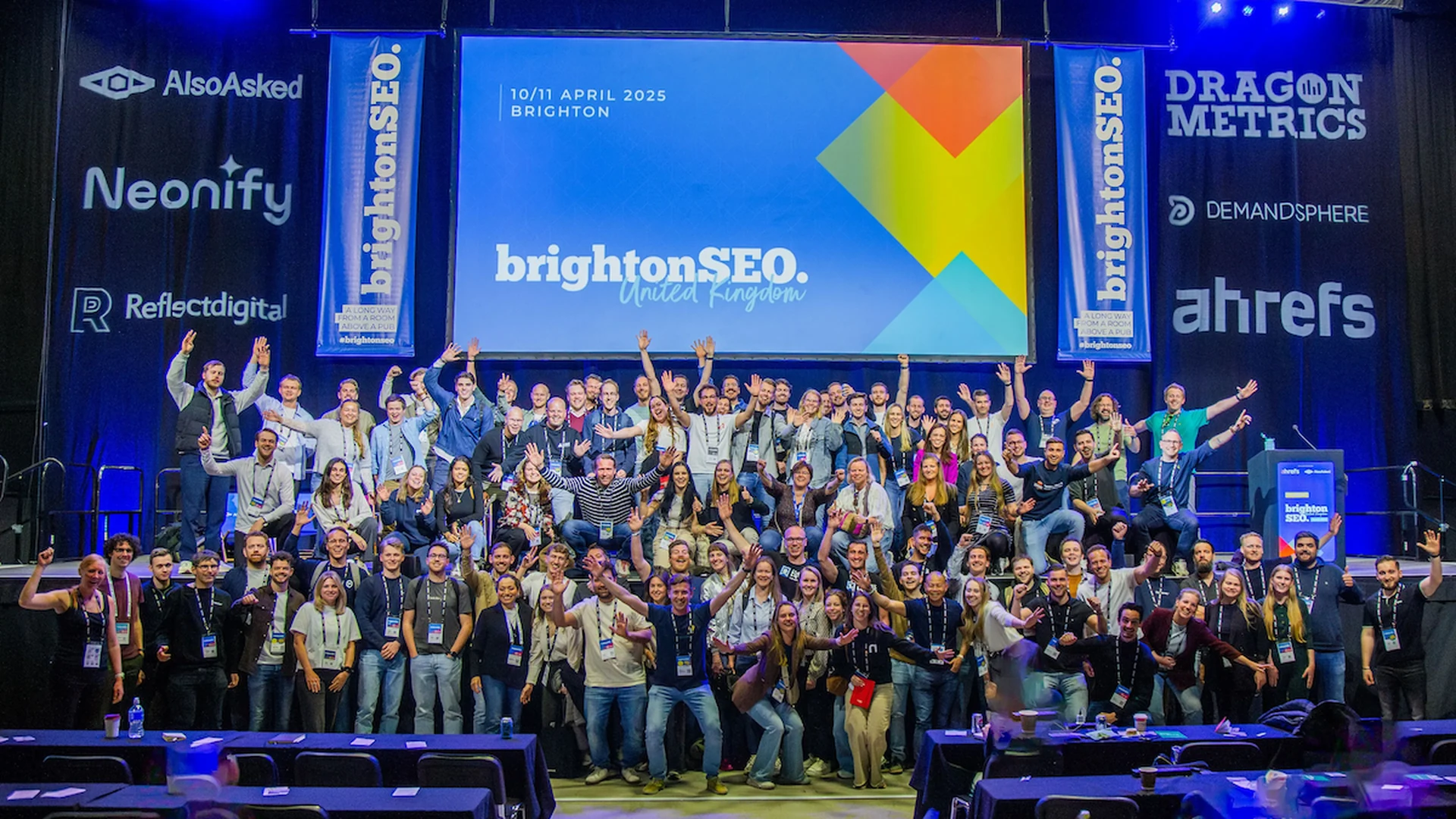
SEO conferences 2026
The curated guide to the global and regional SEO 2026 conferences every SEO, SEM, or AI SEO professional should weigh — with an ROI framework to decide which ones earn the spend.

Coworking near me
Searching coworking near me usually means a meeting tomorrow, a hybrid team that needs a base, or a founder tired of working from the kitchen counter — three different problems with three different answers. This guide ranks verified spaces in the seven largest US coworking markets.